Creating a Pull Request
To create a pull request, you first need to add changes to the repository.
After pushing, you will likely see a message of the following sort:
remote:
remote: Create a pull request for 'new-branch' on GitHub by visiting:
remote:      https://github.com/United-Ads-Ltd/repo/pull/new/new-branch
remote:
Also, when opening the repository, github will likely suggest that you create a pull request:

When writing the description & title, make sure to follow these rules:
- For the title, be as concise and clear as possible about what your PR achieves
- For the description:
- Make sure to say what you want the PR to achieve and how you did it, but not too broad, a few sentences will be enough.
- If you have any concerns, you need to list them in the description
- Attach a closing keyword for an issue, if relevant.
- In the assignees section on the right, assign yourself to the issue
After you are done, create either a normal or draft pull request:
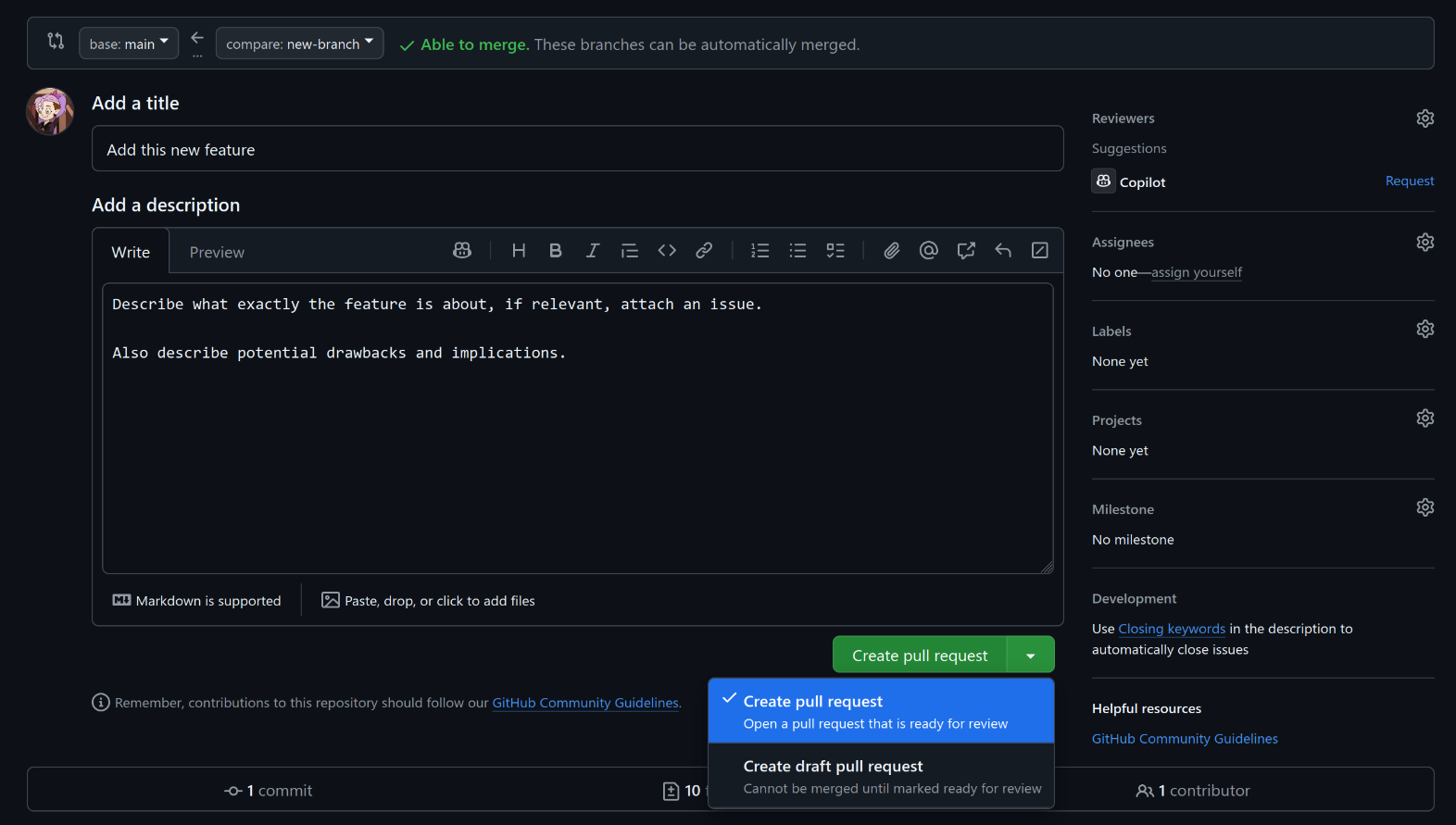
A draft pull request is something you are currently working on and you wouldn't merge that to master right away.
To get someone to review your work, click on the "Reviewers" section on the top left and select their name. Github will usually suggest you a bunch of people.